A cockpit for parallel development
TermTree See every task. Know what needs you.
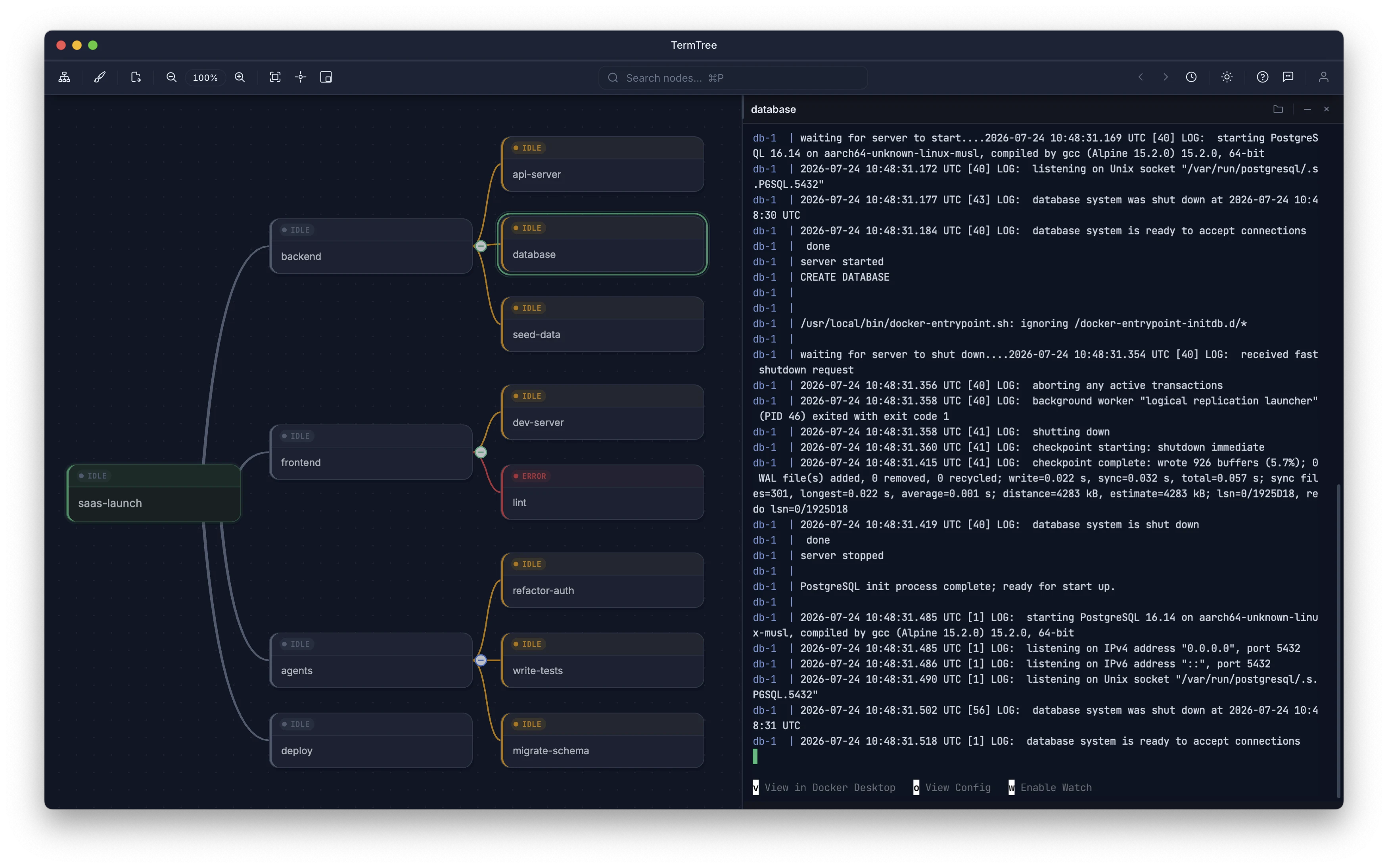
TermTree is a desktop app that organizes your terminals and AI coding agents as a live mind map. Run work in parallel, spot waiting or failed tasks instantly, and stay in control without juggling tabs.
Free for personal use · macOS, Windows, and Linux
The problem
One terminal is simple.
Ten parallel tasks are not.
Tabs hide how tasks relate, background agents wait or fail without being noticed, and every context switch asks you to remember what each shell was doing.
Relationships disappear
A row of tabs cannot show which agent, service, test, and deployment belong together.
Attention gets lost
A prompt waiting in the background is easy to miss while work quietly stops.
Context lives in your head
You spend time reconstructing which directory, branch, and task every shell represents.
How it works
Make the whole workflow visible.
TermTree gives each task a place, each place a real terminal, and each terminal a live signal you can understand at a glance.
- 1
Map the work
Arrange tasks by project, service, feature, or goal so their relationships stay visible.
- 2
Run in parallel
Launch shells, servers, tests, scripts, Claude Code, Codex, or any other CLI in the nodes.
- 3
Respond with confidence
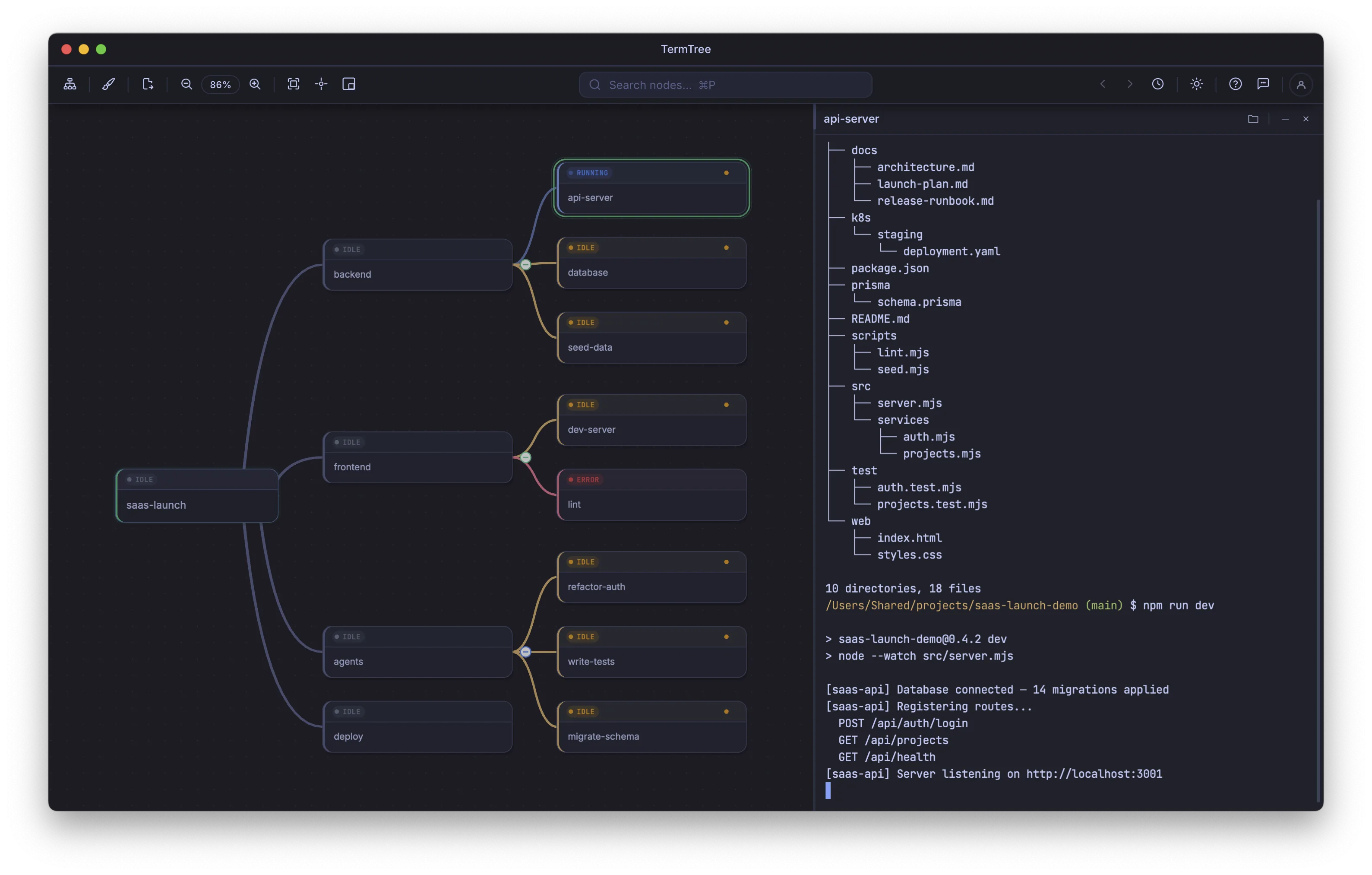
See what is active, quiet, waiting, or failed and jump directly to the task that matters.
Attention, directed
Your agents can work in parallel. Your attention cannot.
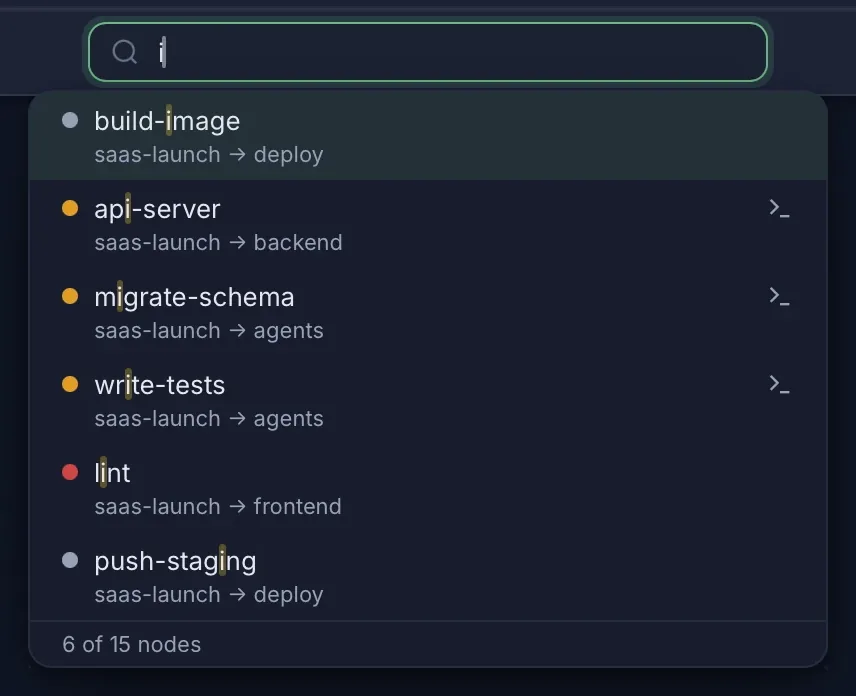
The map turns terminal activity into a clear attention queue. Scan the whole project or search by task name, then move straight to the work that needs a decision.
Work is producing output.
The terminal is quiet.
A process needs you.
A command failed.
One continuous workflow
Run the work. Find the files. Review the result.
Stay in the same cockpit from the first command to the final review.
Real project. Real commands.
Every task opens a PTY-backed terminal in the right project directory. Run a server, test suite, migration, or agent exactly as you would in your existing shell.
Explore terminals Open the right file without leaving the task.
Browse the current project with Quick Open or follow a path printed in the terminal. Git status markers show which files changed.
See Quick Open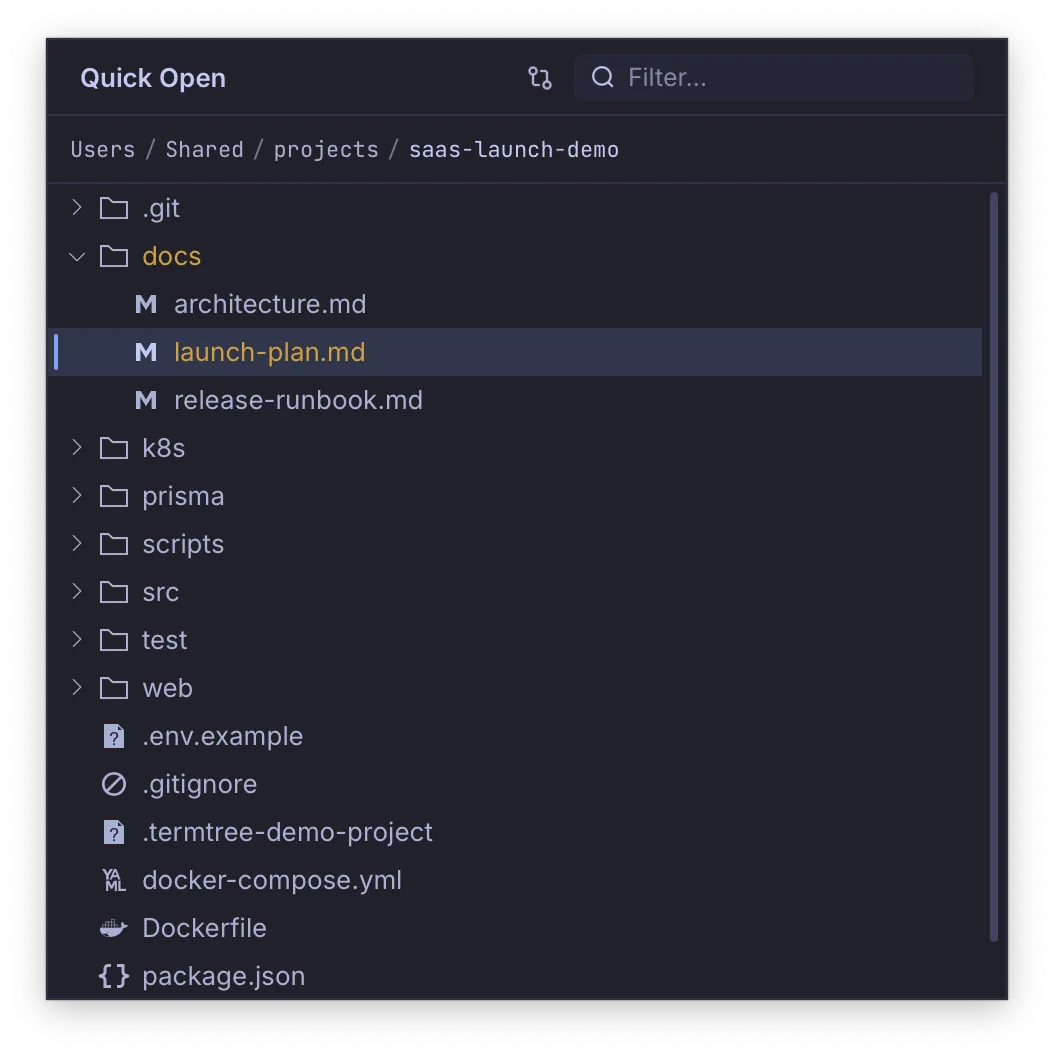
Read what the work produced.
Preview Markdown and Mermaid diagrams, inspect files, and review Git changes before deciding what to keep.
Explore preview and review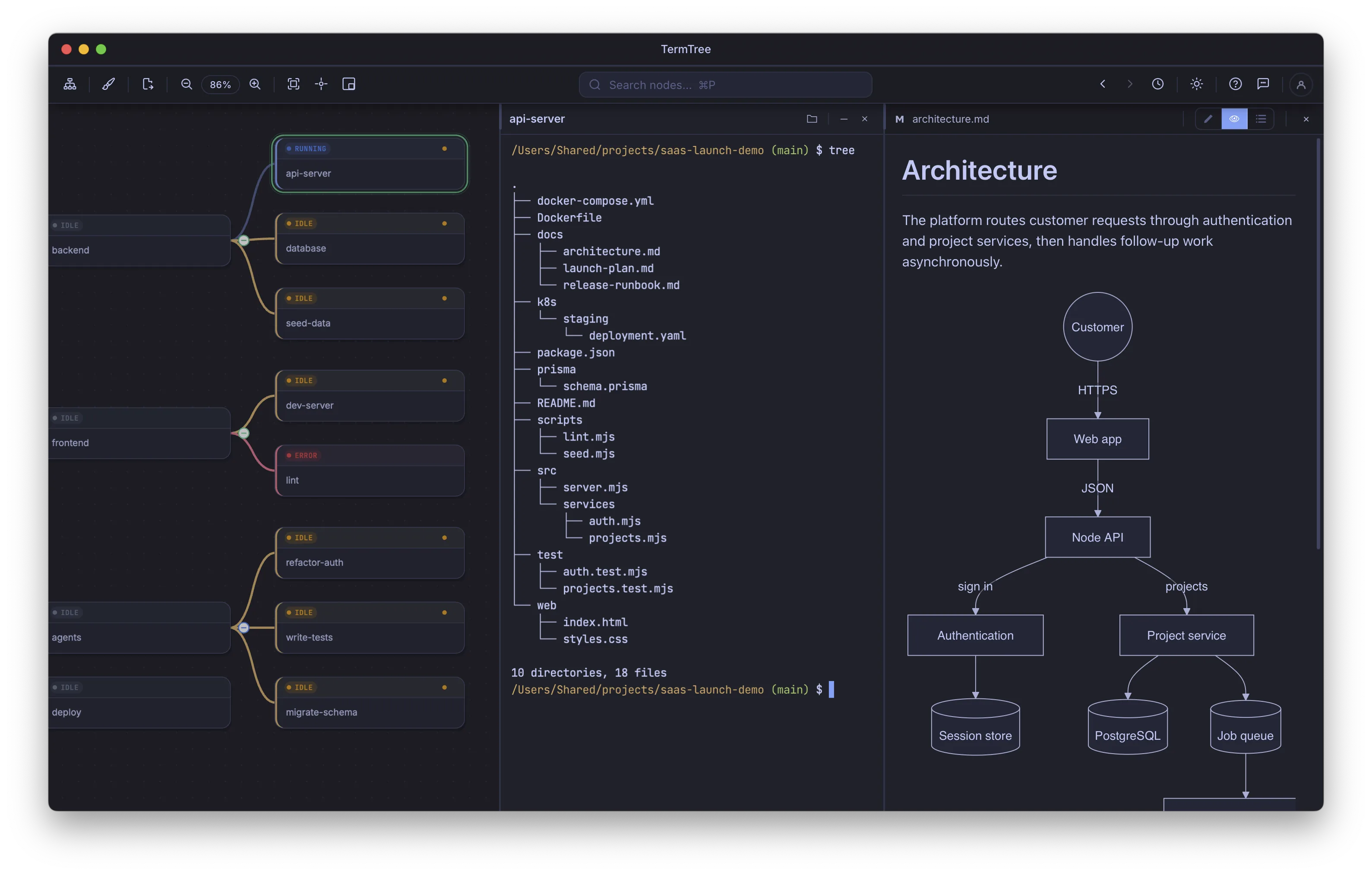
Built around the developer
Fast when you need it. Quiet when you do not.
The supporting tools stay close to the workflow without becoming another system to manage.
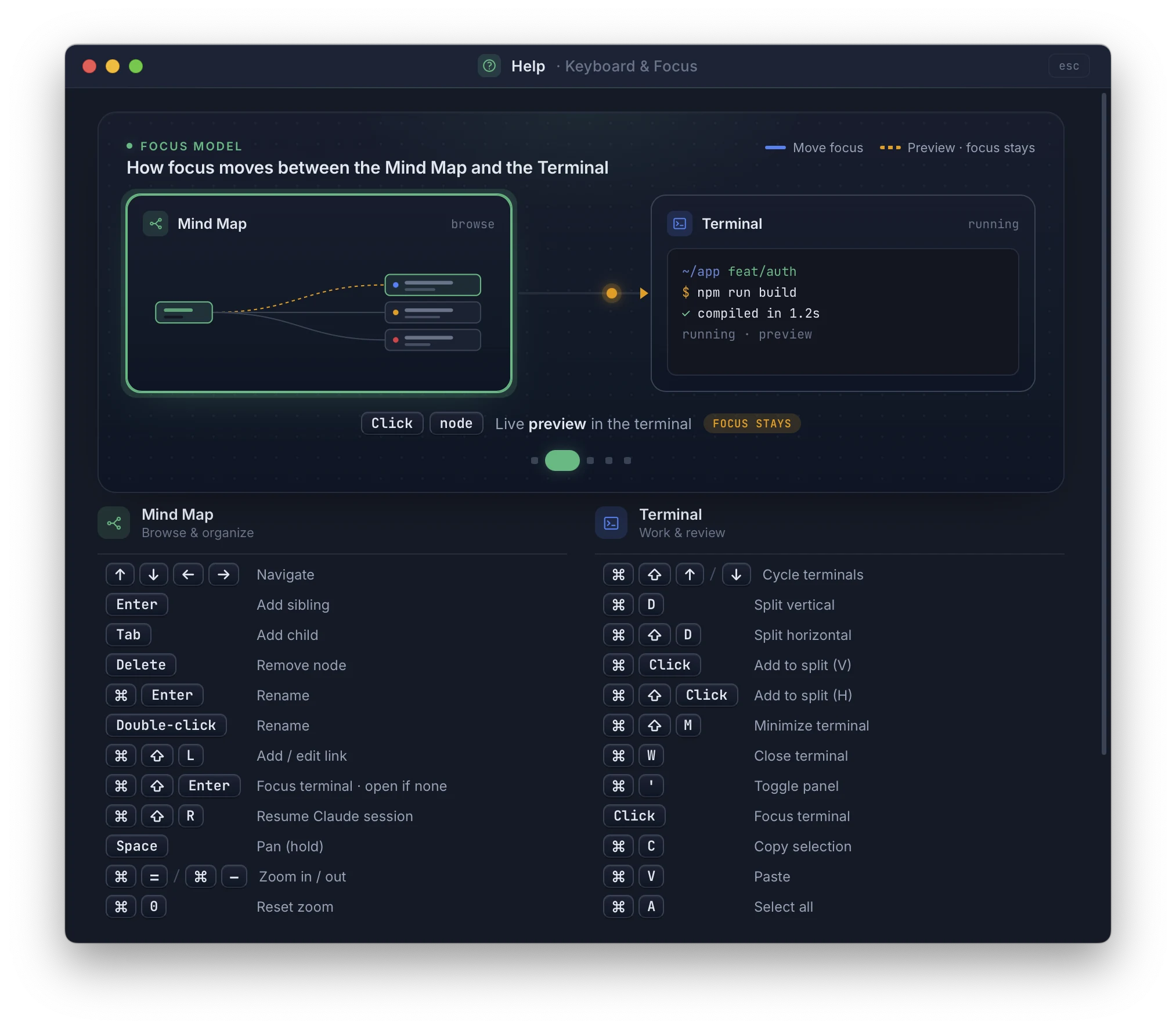
Keyboard-driven flow
Move between the map, terminals, and editor without breaking concentration.
Read the guide →Split terminals
Keep related shells side by side or stacked inside one task.
Read the guide →Agent awareness
Detect active agents, waiting prompts, and the worktrees they are using.
Read the guide →Session restoration
Return to the same tree, layout, terminals, and review context.
Read the guide →Quick Open and Search
Find the right file or task directly, even in a large project.
Read the guide →Themes and layouts
Shape the map around the project and choose a workspace that feels right.
Read the guide →Fits your workflow
Your tools stay your tools.
TermTree organizes the workflow you already have. It does not require a new agent, a proprietary project format, or a mandatory cloud workspace — cloud sync exists, but it is optional and only runs when you sign in.
- Real local PTY-backed terminals
- Works with Claude Code, Codex, shells, servers, tests, and other CLIs
- Project files remain in their existing locations
- Available for macOS, Windows, and Linux
- Free for personal use with uncapped nodes and terminal sessions
Accounts and sign-in
Sign in only when you want sync.
The Free edition of TermTree needs no account at all — download it and start working. A TermTree account exists for one reason: signing in on a device is what lets Pro's cloud sync carry your workspace to it.
The Free edition needs no TermTree account. Nothing asks you to sign up, and we hold no account record for you until you choose to create one.
Cloud sync carries your workspace between devices. It needs a signed-in TermTree account and an active Pro or Organisation subscription on each device you sync.
Sign in with Google, GitHub, Microsoft, Apple, or Facebook, or with an email address and password. TermTree receives your email address and a unique identifier from the provider you choose, and uses them to identify your account.
Account data is covered by TermTree's privacy policy. You can sign a device out at any time, or write to us to close your account and delete the data held with it.
Replace terminal tab chaos with a workflow you can see.
Free for personal, non-commercial use with uncapped nodes and terminal sessions.
Available for macOS, Windows, and Linux.